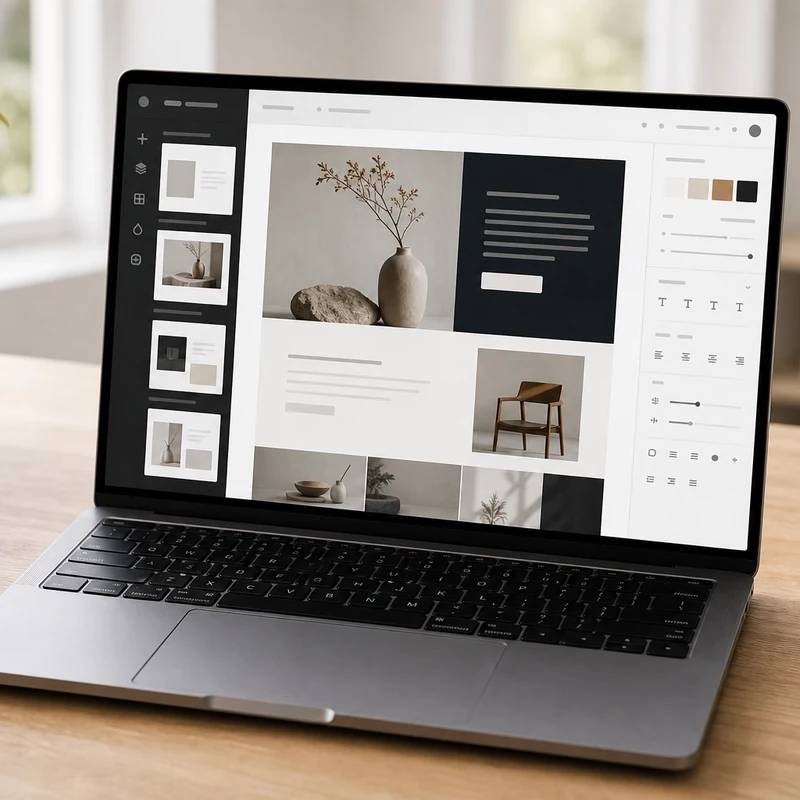
The best-looking site with the least fuss
Squarespace
Reviewed by
Eran Yorkovsky · Founder, PickGrade
The all-in-one pick when design and low hassle matter more than deep customization: polished templates with hosting and support bundled, ideal for portfolios, creators, and service businesses. Less flexible than Webflow and lighter on commerce than Shopify.
The builder to pick when the site needs to look great fast and the content is fairly straightforward, portfolios, consultants, creative services, restaurants, events, and polished small-business sites. Squarespace's edge is design out of the box: award-winning, mobile-responsive templates that look professional with almost no effort, wrapped in a calm, section-based editor a non-technical owner can run, with hosting, SSL, and support bundled in. The honest limits: it's less flexible than Webflow (you work within templates, not a free canvas), its built-in commerce is fine for simple catalogs but not as deep as Shopify, technical SEO control is lighter, and it's hard to migrate off later. For anyone who just wants a site that looks sharp and works without fuss, it's the easy choice.
$16
PickGrade may earn a commission from purchases made through links on this page, at no extra cost to you. This never affects our grades. Full disclosure.
Last reviewed Jun 21, 2026
What we like
- ✓Award-winning, mobile-responsive templates that look professional straight out of the box — the strongest design-out-of-the-box experience
- ✓True all-in-one: hosting, SSL, templates, and support bundled into one predictable subscription
- ✓Approachable structured editor that non-technical users can manage without training
- ✓Excellent for portfolios, creators, restaurants, and service businesses where visual polish matters most
- ✓Capable built-in ecommerce and booking tools for simple stores and appointments
Trade-offs
- −Less design flexibility than Webflow or WordPress — you work within polished templates rather than building freely
- −The editor is structured and section-based, not true free-form drag-and-drop, which can frustrate users who want pixel control
- −Built-in ecommerce is fine for simple catalogs but less deep than Shopify for real store operations
- −Advanced technical SEO control is more limited than Webflow or WordPress
- −Harder to migrate off later — your site is tied to Squarespace's platform
Best for
Creators, consultants, portfolios, restaurants, and service businesses that want a polished website without heavy setup.
Avoid if
you need advanced custom logic, complex ecommerce operations, or highly technical CMS control.
The three lenses
How we grade →- 8.9/10
Value & Longevity · Eran Yorkovsky
- 8.9/10
Design & Fit · Michal Zucker
Score breakdown
- ease9.2/10
- fit8.9/10
- quality8.8/10
- value8.7/10
Specs
- AI
- Built-in AI tools for copy and design assistance
- SEO
- Covers the basics well; less advanced technical control than Webflow or WordPress
- Editor
- Structured, section-based editor (not full free-form drag-and-drop)
- Bundled
- Hosting, SSL, templates, and support in one subscription
- Best for
- Portfolios, creators, service businesses, blogs, and simple shops
- Ecommerce
- Solid built-in store for simple catalogs; less deep than Shopify
- Templates
- Award-winning, mobile-responsive templates that look professional out of the box
- Business plan
- ~$23–28/mo — adds basic ecommerce (with a transaction fee) and advanced site styling
- Personal plan
- $16/mo annual — portfolio and brochure sites, blogging, no commerce
- Commerce plans
- ~$28–52/mo — no transaction fees, deeper store features
How we know
High confidenceLast checkedSquarespace is the polished, all-in-one website builder for portfolios, creators, service businesses, blogs, and simple online stores — the pick when design quality and low maintenance matter more than deep customization. It bundles hosting, SSL, professionally designed templates, and support into a single subscription, with plans typically running from Personal at $16/month (annual) for brochure and portfolio sites up to Business (around $23-28/month, which adds basic ecommerce with a transaction fee) and Commerce tiers (roughly $28-52/month, which drop transaction fees and add deeper store features). Its core strength is design out of the box: award-winning, mobile-responsive templates that look professional with minimal effort, which is why it's a favorite among photographers, designers, restaurants, and boutique brands. The editor is structured and section-based rather than fully free-form, which keeps it approachable for non-technical users but offers less control than Webflow's visual canvas. Squarespace handles the fundamentals of SEO and security well but provides less advanced technical SEO control than Webflow or WordPress, and while its built-in commerce is capable for simple catalogs, it's not as operationally deep as Shopify; it's also relatively hard to migrate away from. Overall it's ideal for someone who just wants a site that looks great and works without fuss, and a weaker fit for teams that need heavy customization, complex content operations, or serious ecommerce.
Compare Squarespace with the top alternates side-by-side.
Compare picks →


Other expert reviews
Video reviews
YouTube — Squarespace Review (2025) — Key Pros and Cons
From real owners
Human reviews that sharpen our AI grade
No owner reviews yet. Be the first to share what you think.
Own this? Write a review
Related guides
All website builder guides →Jun 9, 2026
Cheapest and Best Free Website Builders
How to get a website online cheaply or free — Square Online, WordPress.com, Wix, and GoDaddy — plus the trade-offs of free tiers and how to look professional for less.
Jun 9, 2026
AI Website Builders vs Traditional Builders
AI website builders vs traditional builders: AI generates a site from a prompt and wins on speed and custom projects; traditional builders win on predictability and maintenance.
Jun 9, 2026
Best Website Builder for Portfolios and Creators
The best website builders for portfolios and creators — Squarespace, Framer, Wix, and WordPress.com — chosen for presentation, ease, and easy updates.
Was this review useful?