Buying guide
Office Chair Fit Checklist
Reviewed by
Michal Zucker · Fitness, Movement & Wellbeing Editor
Before comparing chair brands, check whether the chair can actually fit your body, desk, and workday. A good ergonomic chair is only good if it adjusts to you.
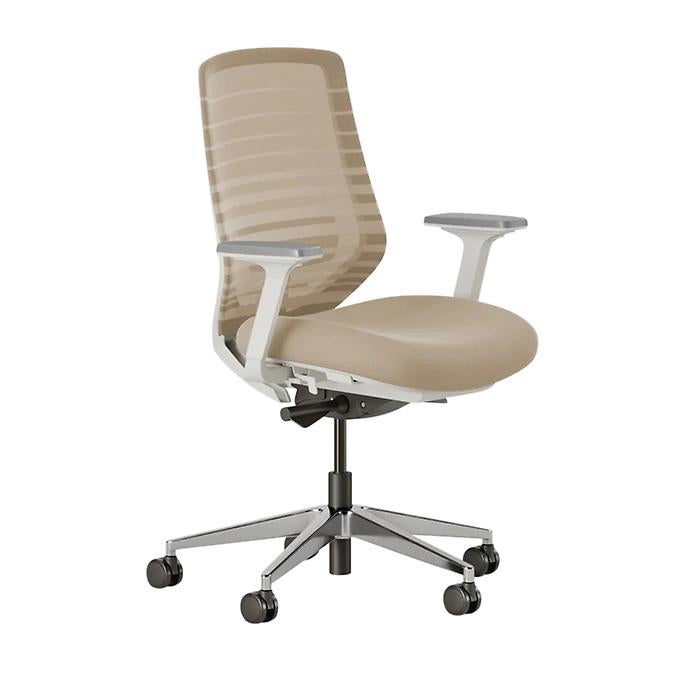 Find an office chair that fits →
The quick answer
Do not buy an office chair just because it says “ergonomic.” A chair is ergonomic only when it fits the person, the workstation, and the task.
Use this checklist before choosing between premium ergonomic chairs, compact task chairs, value home-office chairs, and gaming-style chairs.
The 7-point fit checklist
| Check | What good fit looks like | Why it matters |
|---|---|---|
| Seat height | Feet rest flat on the floor or footrest | Prevents dangling feet and unsupported posture |
| Seat depth | Back reaches the backrest without pressure behind knees | Keeps thighs supported without cutting into the knee area |
| Lumbar support | Lower back is supported without a hard pressure point | Helps the backrest match the natural curve of the spine |
| Armrests | Shoulders stay relaxed, elbows close to the body | Armrests should help, not force your shoulders up |
| Recline / tilt | You can sit upright and slightly reclined with control | Lets you change posture during long workdays |
| Seat width | Hips fit comfortably with room to shift | Too narrow restricts movement; too wide can make armrests useless |
| Desk fit | Chair can move close enough to the desk | Armrests or seat height should not block a natural keyboard position |
The 60-second chair fit test
When trying a chair, sit all the way back and check these points:
- Feet: Are both feet fully supported by the floor or a footrest?
- Knees: Is there space between the front of the seat and the back of your knees?
- Back: Can your lower back touch the lumbar support without forcing posture?
- Shoulders: Can your shoulders stay relaxed with your arms supported?
- Elbows: Are your elbows close to your body, roughly at a comfortable working angle?
- Desk: Can you reach the keyboard and mouse without leaning forward?
- Movement: Can you recline or shift position without losing support?
If the answer is no to several of these, the chair may be wrong even if the reviews are good.
Seat height: the first disqualifier
Seat height is usually the first thing to check. A good range should let your feet rest fully on the floor or on a footrest.
If the chair is too high, your feet may dangle or you may slide forward and lose back support. If it is too low, your hips and knees may feel cramped and your desk may no longer line up naturally.
OSHA's computer workstation guidance says feet should be fully supported by the floor or by a footrest, and knees should be about the same height as the hips with the feet slightly forward.
Seat depth: the overlooked fit problem
Seat depth matters more than most buyers think.
A seat pan that is too long can press into the back of the knees, especially for shorter users. A seat that is too short can leave taller users under-supported.
Look for a chair with adjustable seat depth if you are short, tall, or buying for multiple people.
Lumbar support: useful, but not magic
Lumbar support should meet the lower back naturally. It should not feel like a hard bump pushing you forward.
For long workdays, adjustable lumbar height is valuable because different people need support in different places. OSHA recommends a backrest that conforms to the natural curvature of the spine and provides adequate lumbar support.
Armrests: helpful only if they line up
Armrests are not automatically good. They should let your shoulders relax and your elbows stay close to your body.
If the armrests are too high, they can push your shoulders up. If they are too wide, they may force your elbows out. If they prevent the chair from moving close to the desk, they may hurt the workstation setup more than they help.
Match the chair to sitting time
Under 2 hours a day
You can usually prioritize price, compact size, and basic comfort.
3–6 hours a day
Look for better adjustability, lumbar support, breathable materials, and a return policy.
Full workdays
Prioritize fit range, seat depth, recline control, long-term support, warranty, and whether you can try or return it.
Red flags before buying
Skip or be careful with chairs that have:
- No published seat-height range.
- No meaningful return policy.
- Fixed armrests that cannot move or get out of the way.
- Deep seats with no seat-depth adjustment if you are shorter.
- Narrow seats if you need more hip room.
- Tall or bulky frames for a small desk.
- “Ergonomic” claims without clear adjustability details.
PickGrade shortcut
A good chair is not the one with the most famous brand. It is the one that fits your body, desk, and workday.
Use the office-chair quiz if you want help choosing between:
- Premium ergonomic support.
- A compact task chair.
- A value work-from-home chair.
- A work-and-gaming chair.
Source notes
This checklist is based on public ergonomic guidance from OSHA and CCOHS. OSHA recommends neutral working postures, full foot support, appropriate lumbar support, relaxed shoulders, and frequent position changes. CCOHS emphasizes that no chair fits everyone and that an ergonomic chair must suit the worker's body dimensions, workstation, and tasks.
Read the source guidance:
- OSHA: Good Working Positions
- OSHA: Computer Workstation Chairs
- CCOHS: Office Ergonomics - Ergonomic Chair
Still choosing?
- Take the office chair quiz
- See all office chair picks
- Best office chair for long hours
- Best office chair for back pain
- Best office chair for short people
- Best office chair for tall people
- Ergonomic chair vs gaming chair
- Herman Miller Aeron vs Steelcase Series 1 (2026)
- Herman Miller vs Steelcase vs Branch vs Secretlab: Which Office Chair Should You Buy?
- Best Office Chairs Under $500
- Branch Ergonomic Chair vs Secretlab Titan Evo: WFH Value or Cushioned Gaming Chair?
- Herman Miller Aeron vs Branch Ergonomic Chair
- Steelcase Series 1 vs Secretlab Titan Evo
Useful office chair guides
- Best Office Chairs Under $300
- Best Office Chairs for Working From Home
- Office Chair Features That Actually Matter for Long Workdays
- Herman Miller Aeron Review: Fit Matters More Than Prestige
- Branch Ergonomic Chair Review: The Value WFH Pick
- Secretlab Titan Evo Review: The Work-and-Gaming Chair
- Steelcase Series 1 Review: The Compact Ergonomic Pick
Frequently asked
What makes an office chair ergonomic?
A chair is ergonomic only if it fits the user's body, workstation, and task. Labels matter less than seat height, seat depth, lumbar support, armrest fit, recline, and desk compatibility.
How do I know if an office chair fits me?
Sit all the way back. Your feet should be supported, your lower back should reach the backrest, there should be space behind your knees, and your shoulders should stay relaxed while using the keyboard and mouse.
Is lumbar support necessary?
Lumbar support is helpful for many people, especially during long workdays, but it should fit the lower back without creating a pressure point. Adjustable lumbar height is better than fixed support.
Should short people use a footrest with an office chair?
A footrest can help if the chair or desk setup leaves the feet unsupported. The goal is stable foot support without sliding forward or losing back support.
Are gaming chairs good for office work?
Some can work for mixed work and gaming, but they usually prioritize cushioning and style over task-chair adjustability. For long desk work, compare seat depth, lumbar support, armrest adjustment, and return policy carefully.