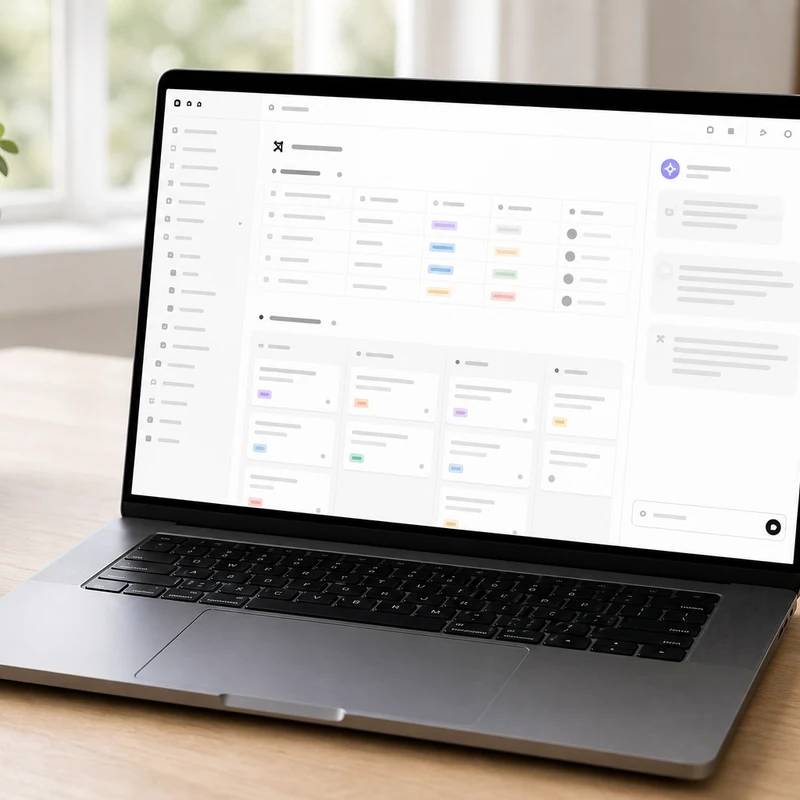
AI that answers from your own wiki, not the web
Notion Business with AI
Reviewed by
Eran Yorkovsky · Founder, PickGrade
Best when your team already lives in Notion: the AI answers from your own docs and databases, switches between GPT, Claude, and Gemini, and bundles agents and meeting notes at $20/user/mo. Full AI now requires Business, and Custom Agents cost extra credits.
The natural AI layer if your team already runs its projects, SOPs, meeting notes, and wikis in Notion. Instead of a separate chat window, the AI lives inside your actual pages and databases: Notion Agent drafts documents, queries databases, and updates pages from one prompt; AI search answers plain-English questions grounded in your team's own content; and AI Meeting Notes transcribes calls into action items. It's model-agnostic, so you can run a workflow on GPT, Claude, or Gemini, or let Auto choose. The honest catches: full AI now requires the Business plan (Free and Plus get only a short trial), autonomous Custom Agents bill on separate metered credits, and every seat pays the same whether they use AI or not. Its usefulness scales with how good your documentation already is; teams wanting a standalone assistant may find a plain chatbot cheaper.
$20
PickGrade may earn a commission from purchases made through links on this page, at no extra cost to you. This never affects our grades. Full disclosure.
Last reviewed Jun 21, 2026
What we like
- ✓AI lives inside your actual docs, wikis, and databases — it answers from your team's own pages, not a generic web model
- ✓Model-agnostic: switch any workflow between GPT, Claude, and Gemini, or let Auto pick, with no change in workflow
- ✓Notion Agent handles multi-step work (drafting, database queries, page updates) from a single prompt, and does not burn extra credits
- ✓AI Meeting Notes and Enterprise Search connect calls and tools like Slack, Drive, and GitHub into searchable context
- ✓Strong privacy posture: customer data is not used to train models, with zero data retention available on Enterprise
Trade-offs
- −Full AI now requires the Business plan — there is no cheaper AI-only tier, and Free/Plus get only about 20 trial AI responses with no top-up
- −Autonomous Custom Agents are a separate metered cost (credits) since May 2026, on top of the per-seat price
- −Per-seat billing with no viewer-only discount — every workspace member pays the same rate whether they use AI or not
- −Image generation is capped (about 10 per day, 30 per month) even on paid plans
- −Notion does not handle calendar scheduling natively, so time-blocking needs a separate tool
Best for
People and teams that want AI inside a structured notes, docs, project, study, or personal operating system workflow.
Avoid if
you don't already like maintaining docs or databases, or you need the strongest standalone AI assistant.
Score breakdown
- fit8.9/10
- value8.9/10
- ease8.8/10
- quality8.7/10
Specs
- Price
- $20/user/mo annual ($24 monthly); Business is the cheapest tier with full Notion AI
- AI search
- Plain-English Q&A grounded in your team's own pages (not the open web)
- Plans below
- Free $0, Plus $10/user/mo (AI is only a limited trial on Free/Plus)
- Notion Agent
- Included in-editor assistant for multi-step tasks: drafting, querying databases, updating pages
- Custom Agents
- Autonomous user-built agents now bill on credits ($10 per 1,000, pooled monthly, no rollover) since May 2026
- Data training
- Customer data is not used to train models; Enterprise adds zero data retention with LLM providers
- AI model choice
- Model-agnostic — pick GPT-5.2, Claude Opus 4.5, or Gemini 3, or let Auto mode choose (Notion 3.2)
- AI Meeting Notes
- Transcribes calls and auto-generates summaries with action items
- Admin & security
- SAML SSO, private teamspaces, granular permissions, 90-day page history, domain verification
- Enterprise Search
- Pulls context from connected apps like Slack, Google Drive, and GitHub
How we know
High confidenceLast checkedNotion Business is the tier that bundles the full Notion AI suite, priced at $20/user/month billed annually ($24 monthly). In early 2026 Notion retired the standalone Notion AI add-on for new Free and Plus customers and folded full AI exclusively into Business and Enterprise, so Business is now the cheapest path to unlimited Notion AI (Free and Plus include only a roughly 20-response trial with no top-up). The appeal is that the AI is embedded in a team's actual docs, wikis, and databases rather than a separate chat window: Notion Agent handles multi-step tasks like drafting documents, querying databases, and updating pages from one prompt; Notion AI search answers plain-English questions grounded in the team's own pages; AI Meeting Notes transcribes calls and extracts action items; and Enterprise Search pulls context from connected apps such as Slack, Google Drive, and GitHub. As of Notion 3.2 (January 2026) the AI is model-agnostic, letting users pick GPT-5.2, Claude Opus 4.5, or Gemini 3, or use Auto mode. Business also adds SAML SSO, private teamspaces, granular permissions, 90-day page history, and domain verification, while Enterprise adds SCIM, audit logs, and zero data retention with LLM providers; customer data is not used to train models. The key cost nuances are that full AI now requires Business at minimum, and that autonomous Custom Agents became a separately metered cost in May 2026, billing on pooled Notion credits ($10 per 1,000, no rollover) on top of the seat price; the included Notion Agent and standard AI tools don't consume credits. For teams already running their knowledge base in Notion, it's a natural and well-priced AI layer; teams wanting a standalone AI assistant may find a dedicated chatbot cheaper.
Compare Notion Business with AI with the top alternates side-by-side.
Compare picks →Related picks

One flexible assistant for the whole team, not a narrow tool
ChatGPT Business
$20

AI inside the Office apps your team already lives in
Microsoft 365 Copilot
$30
Gemini baked into Gmail, Docs, and Meet, no add-on
Google Workspace with Gemini
$14

Built for long-document writing and reasoning, not images
Claude Team
$20
Cited answers from the web and your own files together
Perplexity Enterprise Pro
$34

On-brand decks, posts, and ads without a designer
Canva Teams
$10
Grammar, clarity, and tone everywhere you type
Grammarly Pro
$12
Other expert reviews
Video reviews
YouTube — Is Notion AI Worth it? 2025 Review + Top Features
From real owners
Human reviews that sharpen our AI grade
- ★★★★★Does the job, mostly
Notion Business with AI mostly does what it says. I can use it, but I would compare a few alternatives before buying.
OH · Jul 7, 2026
Own this? Write a review
Related guides
All ai subscription guides →Was this review useful?