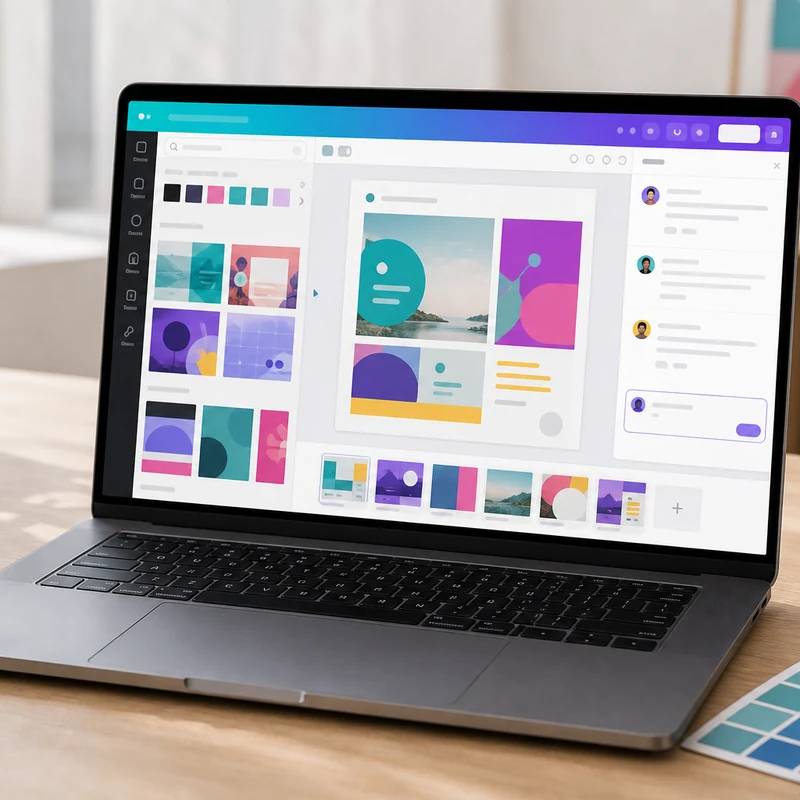
On-brand decks, posts, and ads without a designer
Canva Teams
Reviewed by
Eran Yorkovsky · Founder, PickGrade
The default design tool for marketing teams: easy for non-designers, with a deep AI suite and real team workflows (comments, approvals, brand kits). Mind the 3-seat minimum, the capped AI credits (only a $100 add-on extends them), and the per-seat cost as you scale.
The specialist add-on for teams that need a steady stream of marketing visuals but don't have a designer on staff. Canva's strength is that anyone can make on-brand social posts, ads, pitch decks, thumbnails, and flyers in a drag-and-drop editor, and its Magic Studio AI handles text-to-design, image generation, background removal, resizing, and short video in the same place. Team features are real too: live co-editing, comments, task assignment, approval workflows, and shared brand kits keep a marketing team in sync. The catches: a three-seat minimum (a two-person team pays for a phantom third), AI runs on a pooled monthly credit allowance that pauses premium tools when exhausted, and per-seat cost climbs past ten users. It won't replace Figma for precision UI or Adobe for full prepress, but for fast, on-brand collateral, it's excellent value.
$10
PickGrade may earn a commission from purchases made through links on this page, at no extra cost to you. This never affects our grades. Full disclosure.
Last reviewed Jun 21, 2026
What we like
- ✓Genuinely easy for non-designers — a whole marketing team can produce on-brand assets without specialist skills
- ✓Deep, well-integrated AI (Magic Studio): text-to-design, image generation, background removal, resizing, and video in one editor
- ✓Strong team features: real-time co-editing, comments, task assignment, approval workflows, and shared brand kits
- ✓Huge content library (100M+ assets and millions of templates) plus the now-free Affinity professional apps
- ✓Transparent, low entry price for what it does, with free tiers for verified education and nonprofits
Trade-offs
- −Three-user minimum, so a two-person team pays for a phantom third seat (~$30/mo floor)
- −AI runs on a pooled monthly credit allowance with no cheap top-up — heavy users hit a wall until reset or must buy the $100/user/mo AI Pass
- −Per-seat pricing scales quickly past 10 users, and the plan has a history of mid-cycle price increases
- −Auto-renewal and cancellation friction are common complaints; app-store purchases must be cancelled through the app store
- −It is a marketing-design and collaboration tool, not a precision UI tool like Figma or a full Adobe prepress/broadcast replacement
Best for
Students, creators, marketers, and small teams that need fast presentations, social posts, thumbnails, simple videos, visual assets, and branded creative work.
Avoid if
you mainly need deep research, long-form reasoning, coding help, or a general AI assistant for many non-visual tasks.
Score breakdown
- ease9.3/10
- fit9.0/10
- value9.0/10
- quality8.8/10
Specs
- Price
- Per-seat with a 3-user minimum (~$30/mo entry); roughly $10–21/user/mo depending on billing and recent increases
- Storage
- 500 GB (vs 100 GB on Pro)
- Affinity
- Affinity (Photo, Designer, Publisher) base apps now free; pro AI features need a Canva paid plan
- Plan name
- Canva Teams (renamed Canva Business in 2026; some surfaces still say Teams)
- AI credits
- Pooled monthly credit allowance (higher than Pro's ~500); premium AI pauses when credits run out until reset
- Collaboration
- Real-time co-editing, comments, task assignment, approval workflows, shared brand kits
- Content library
- 100M+ stock assets and 3.6M+ premium templates
- Heavy-AI add-on
- AI Pass at $100/user/mo for users who regularly exhaust the allowance
- Enterprise step-up
- SSO, advanced brand controls, and compliance at the custom-priced Enterprise tier
- AI suite (Magic Studio)
- Magic Write, Magic Design, Dream Lab image gen, Magic Edit/Expand/Resize, background remover, text-to-video, and conversational Canva AI 2.0
How we know
High confidenceLast checkedCanva Teams (renamed Canva Business in 2026, though some surfaces still say Teams) is the multi-seat tier of Canva's design platform, built for marketing teams, agencies, and small businesses that need collaboration and brand control on top of Canva's drag-and-drop editor. It's sold per seat with a three-user minimum, so the practical entry point is about $30/month; the per-seat rate has moved around with Canva's 2024-2026 pricing changes and runs roughly $10-21/user/month depending on billing cycle and recency. The plan adds 500 GB of storage, real-time co-editing, comments, task assignment, approval workflows, and shared brand kits, plus the full Magic Studio AI suite: Magic Write, Magic Design, Dream Lab image generation (on Canva's Leonardo-based model), Magic Edit/Expand/Resize, background removal, text-to-video, and the conversational Canva AI 2.0 that builds editable designs from a prompt. AI usage draws on a pooled monthly credit allowance (higher than Pro's roughly 500 credits but not publicly quantified for Teams); when credits run out, premium AI tools pause until the monthly reset, with the only top-up being a separate $100/user/month AI Pass aimed at heavy users. The library spans 100M+ stock assets and millions of templates, and the Affinity professional apps Canva acquired are now free at the base level. The main trade-offs are the three-seat minimum, the capped-credit AI model, per-seat cost that climbs past 10 users, and recurring complaints about auto-renewal and cancellation. For non-designers who need on-brand marketing collateral fast, it's excellent value; teams wanting precision UI design (Figma) or full professional prepress will still reach for specialized tools.
Compare Canva Teams with the top alternates side-by-side.
Compare picks →Related picks
One flexible assistant for the whole team, not a narrow tool
ChatGPT Business
$20
AI inside the Office apps your team already lives in
Microsoft 365 Copilot
$30
Gemini baked into Gmail, Docs, and Meet, no add-on
Google Workspace with Gemini
$14
Built for long-document writing and reasoning, not images
Claude Team
$20
Cited answers from the web and your own files together
Perplexity Enterprise Pro
$34
AI that answers from your own wiki, not the web
Notion Business with AI
$20
Grammar, clarity, and tone everywhere you type
Grammarly Pro
$12
Other expert reviews
Video reviews
YouTube — Canva Free vs Canva Pro (Is It Worth It?)
From real owners
Human reviews that sharpen our AI grade
- ★★★★★Almost perfect for me
Canva Teams is close to perfect for my needs. A few details could be better, but I am still happy with it.
Miriam · Jul 7, 2026
Own this? Write a review
Related guides
All ai subscription guides →Was this review useful?