Buying guide
Best Mechanical Keyboards for Mac
Reviewed by
Eran Yorkovsky · Founder, PickGrade
Mac users need more than a good typing feel. The right mechanical keyboard should handle macOS keys, Bluetooth or wireless switching, desk space, and noise without making the setup feel hacked together.
 Find your mechanical keyboard →
Quick answer
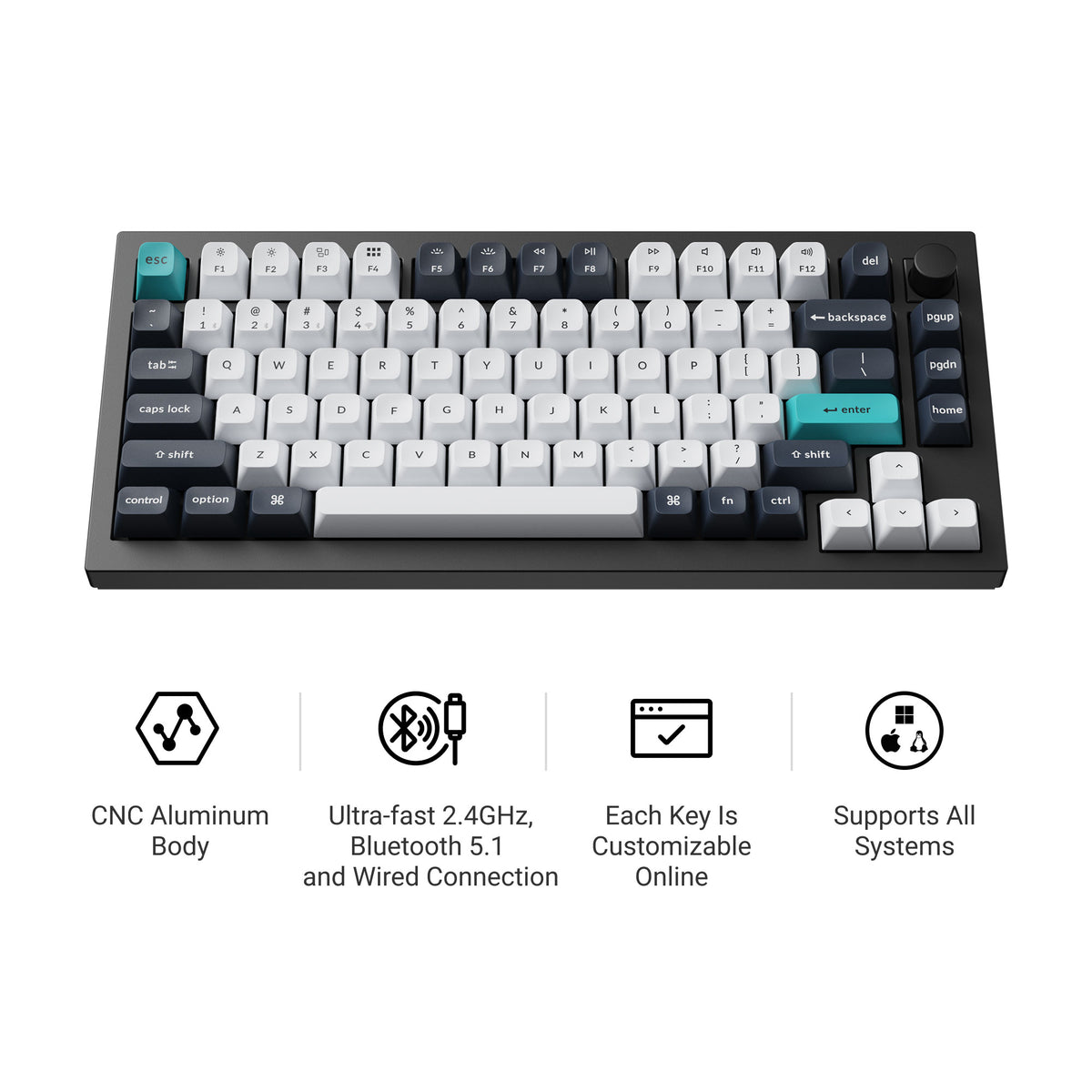
For most Mac users, the Keychron Q1 Max is the standout: it ships with Mac legends and Command/Option keys, supports macOS natively, and offers stable wireless with a premium typing feel writers and coders love. If you live across several devices, the Logitech MX Mechanical (Mac layout) switches between a MacBook, iPad, and a second computer with one keypress and stays quiet on calls. Both feel at home on macOS without any of the workarounds a gaming board would need.
What matters for Mac users
The best Mac mechanical keyboard should feel natural on macOS first. Look for proper Command and Option key support, reliable Bluetooth or 2.4GHz wireless, easy device switching, and a layout that does not fight your shortcuts.
For most Mac desks, a balanced wireless board makes more sense than a flashy gaming keyboard. If you write, code, or work all day, typing feel and comfort matter more than RGB. If you move between a MacBook, monitor, iPad, or work laptop, device switching becomes a real feature, not a bonus.
Good fit signals
Choose a Mac-friendly mechanical keyboard if you care about:
- macOS legends or easy Mac key remapping
- Wireless use with stable connection
- Comfortable typing for long work sessions
- A compact layout that leaves room for a mouse or trackpad
- Quiet enough switches for shared rooms
The Mac-key detail that trips people up
Many mechanical keyboards are built Windows-first, so the bottom-row keys land in the wrong spots (Alt where you expect Command) and the legends don't match. The cleanest fix is a board with a dedicated Mac mode or Mac keycaps; failing that, make sure it allows easy remapping. macOS can swap modifier keys in settings, but a keyboard designed for Mac saves you the fiddling.
When to avoid a Mac mechanical keyboard
Skip the Mac-focused route if you mainly play competitive games on Windows, need a full gaming software suite, or want the fastest possible wired latency. In that case, a gaming-focused keyboard may be a better match.
Pickgrade recommendation logic
In the Pickgrade quiz, choose Mac setup, wireless, quiet typing, and your real budget. That points the recommendation engine toward boards that make daily Mac work feel smoother instead of simply ranking the most expensive keyboard.
Related mechanical keyboard guides
- Take the Mechanical Keyboards quiz
- See all Mechanical Keyboards
- Best Mechanical Keyboards for Office Work
- Best Mechanical Keyboards for Gaming
- Keychron Q1 Max
- Logitech MX Mechanical
Still choosing?
Frequently asked
Are mechanical keyboards good for Mac?
Yes, but Mac support matters. Look for Command and Option keys, a macOS mode, wireless stability, and easy key remapping so the bottom row matches what your shortcuts expect.
Should Mac users buy a wireless mechanical keyboard?
Wireless is usually worth it for a clean Mac desk, especially if the keyboard supports switching between multiple devices like a MacBook, iPad, and monitor setup.
What keyboard size is best for MacBook users?
Most MacBook users should start with a compact or tenkeyless layout unless they regularly use a number pad for spreadsheets or finance work.
How do I get the Command and Option keys right on a mechanical keyboard?
Look for a board with a built-in Mac mode or Mac keycaps. If it's Windows-first, you can still remap the modifier keys in macOS settings, but a Mac-ready keyboard saves you the setup and the mismatched legends.