Buying guide
Best Mechanical Keyboards for Office Work
Reviewed by
Eran Yorkovsky · Founder, PickGrade
An office mechanical keyboard should make typing better without annoying everyone nearby. The right pick balances comfort, quiet switches, wireless reliability, and a layout that fits your desk.
 Find your office keyboard →
Quick answer
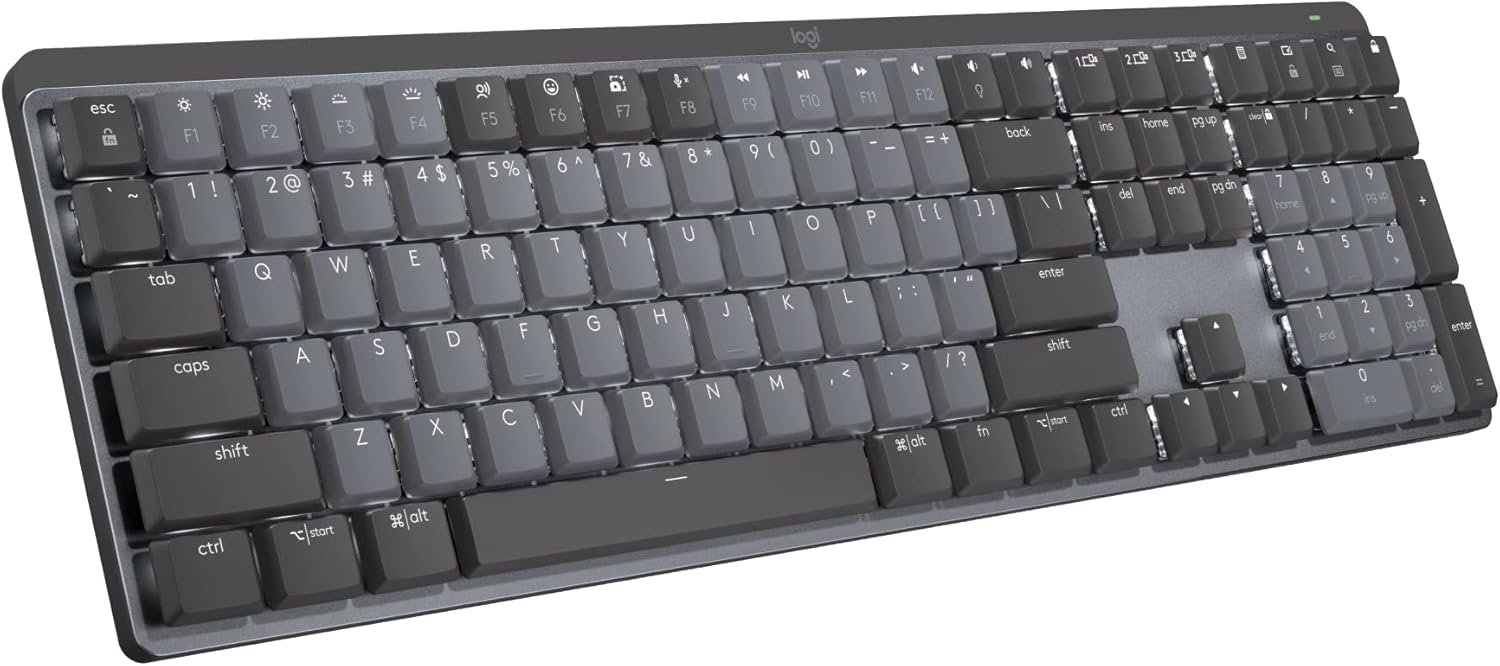
For most offices, the Logitech MX Mechanical is the practical pick: quiet tactile switches, wireless, and one-tap switching between your work laptop, personal machine, and tablet — exactly what a multi-device desk needs. If you'd rather have a premium board you'll enjoy typing on for years, the Keychron Q1 Max brings a heavier custom-style feel and can be built with quiet switches. Save the loud, RGB-heavy gaming boards for home.
The whole game in an office is quiet, comfortable, and unobtrusive. Get those right and the rest is preference.
The office keyboard problem
A great mechanical keyboard can make daily work feel better, but not every mechanical keyboard belongs in an office. Loud clicky switches, aggressive RGB, oversized frames, and gaming software can make a board feel out of place in a shared workspace.
For office work, start with noise, comfort, and reliability. A low-profile keyboard can feel familiar if you are coming from a laptop. A heavier custom-style board can feel more premium if you type for hours. Wireless switching is useful if you move between a work laptop, personal computer, tablet, or docking setup.
What to prioritize
For most office desks, look for:
- Quiet or low-noise switches
- Comfortable typing over long sessions
- Wireless connection or easy device switching
- A compact layout if desk space is tight
- A restrained design that works in a professional setup
Quiet without giving up the feel
You don't have to choose between mechanical feel and a quiet desk. Tactile switches give you feedback without the sharp click of clicky switches, and many boards add silencing foam or come in factory-quiet variants. If you take a lot of calls, that combination keeps your keyboard off the microphone.
What to avoid
Avoid loud clicky switches in shared rooms. Also be careful with very compact layouts if you rely on function keys, arrow keys, or navigation shortcuts all day — a board that drops those behind a function layer can slow you down in spreadsheets and email.
How Pickgrade narrows it down
In the quiz, choose quiet office work as your main use, then answer based on layout, wireless needs, switch feel, and budget. Pickgrade will favor practical office boards over flashy gaming keyboards.
Related mechanical keyboard guides
- Take the Mechanical Keyboards quiz
- See all Mechanical Keyboards
- Best Mechanical Keyboards for Mac
- Best Mechanical Keyboards for Gaming
- Keychron Q1 Max
- Logitech MX Mechanical
Still choosing?
Frequently asked
Are mechanical keyboards too loud for offices?
Some are too loud, especially clicky switch keyboards. Quiet linear, tactile, or low-profile mechanical keyboards are much better for shared spaces, and many boards offer factory-quiet switch options.
Is a low-profile mechanical keyboard better for office work?
It can be. Low-profile boards often feel familiar to laptop users and can be comfortable for long typing sessions, while taking up less vertical space on the desk.
Do I need a number pad for office work?
Choose a full-size keyboard if you work heavily in spreadsheets or finance. Otherwise, a compact or tenkeyless board saves desk space and keeps your mouse closer.
Should an office keyboard be wireless?
Yes, if it supports multi-device pairing. A keyboard that switches between your work laptop, personal computer, and tablet with one keypress is one of the most useful office features, especially on a docked setup.